Rules of play
In klaverjas you must in principle follow the suit led. If you cannot follow suit, you must trump — if you can. The variants differ in what is required when you cannot trump.
Game variants
Amsterdam variant. If the trick belongs to your partner and you cannot follow suit, you do not have to trump. If a trump has already been played, you must overtrump if you can — but only if the trick belongs to the opponent.
Rotterdam variant. If a trump has already been played, you must always overtrump if you can — even if the trick belongs to your partner.
Belote variant. If the trick belongs to the opponent you must always trump — even with a lower trump. If the trick belongs to your partner you may trump but do not have to. Undertrumping is only allowed if overtrumping is not possible. Played with meld in hand.
Klaberjass variant. If you cannot follow suit, you must trump. Undertrumping is allowed if overtrumping is not possible. Only played with meld in hand.
If the suit led is trump, you must overtrump if you can; otherwise you play a trump card.
Scoring
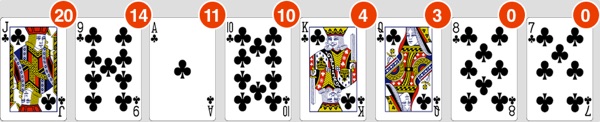
The cards have a point value that also determines their relative ranking.

Meld (roem)
| Type | Value | Description |
|---|---|---|
| Sequence of three | 20 | Three consecutive cards of one suit |
| Sequence of four | 50 | Four consecutive cards of one suit |
| Sequence of five or six | 100 | Five or six consecutive cards |
| Stuk / Belote | 20 | King and queen of trumps |
| Four of a kind | 100 | Four tens, jacks, queens, kings or aces (not in Klaberjass) |
| Four jacks | 200 | Optional in Kraken, standard in Belote |
| Four nines | 150 | Optional in Kraken, standard in Belote |
| Last trick | 10 | Extra 10 points for the last trick |
PIT or Capot
Taking all the tricks with the trump suit you chose is called a PIT (also "doormars"). This earns 100 extra meld points. In Belote it earns 250 extra points if one player takes all the tricks.
Counter-PIT
A counter-PIT earns no extra points, unless you play Belote. Then it earns the opponent 100 or 250 extra points.
Signalling
The game recognises fixed signals when a card is played to a trick that (at that moment) belongs to the leader's side.
Signalling up. Playing a small card to your partner's trick signals strength. Playing a jack first and later the queen of the same suit also shows strength. A seven followed by an eight also signals strength.
Signalling down. Playing a face card (queen or king) or a ten to your partner's trick signals weakness.
Strong suit. Playing an ace indicates that you have a strong suit.
The computer analyses both the played and the unplayed cards to draw conclusions. Asking for a different suit is not recognised. The "small card with jack" convention can be used optionally.
Kraken
What is Kraken?
Kraken (also called Contra) is Amsterdam Klaverjas or Rotterdam Klaverjas with extra rules. Compared to Rotterdam, two extra rules apply:
- If the trick belongs to your partner and you cannot follow suit, you do not have to trump.
- Without a higher trump you play another suit. With only lower trumps you must undertrump.
These rules save trump cards. Rule 1 occurs more often, which makes PITs easier in Amsterdam klaverjas than in Rotterdam.
Extra rules in Kraken
After the trump choice, the opponents may "Kraken". They do this when they think they can make the bidding side go NAT (down) with that trump. The original side can confidently "Re-kraken", after which the opponents get one more chance to "Super-kraken". This process is called bidding. No bid beats a super-kraak. The highest bid wins the contract.
The bidding side (or those who krakked) must take more than half of the points in the game or they go NAT.
Meld in hand
In this Kraken variant, meld in hand is played; the computer announces this automatically.
Meld in hand differs from meld on the table: not everyone receives all meld points. The highest individual meld counts. The pair with the highest individual meld scores their combined meld. With equal individual meld, the highest card in the sequence decides. If still tied, the suit order decides: Spades, Hearts, Clubs, Diamonds (high to low). Four of a kind beats five/six-card sequences when points are equal.
The opponent's meld is rejected and shown as 0, except "stuk" — that always counts. Meld in hand only counts if that pair has won at least one trick.
Crosses
In Kraken it ultimately comes down to crosses, not points. Points only determine who achieves the final victory on points, which is worth four crosses.
Crosses are penalty points. In krakked rounds the losing side receives 2 penalty crosses. With a re-kraak 4. With a super-kraak 8. With spades as trump, all penalty crosses are doubled (maximum 16).
Penalty crosses only appear in krakked/re-krakked/super-krakked rounds. Non-krakked rounds only distribute points — except: a PIT earns 1 penalty cross for the losers (2 if spades is trump). The final victory on points earns 4 crosses for the losers.
The winner of a 16-round game has the fewest penalty crosses.
Contrée
What is Contrée?
Contrée is a trump-choice variant in which the trump suit and the bidding side are determined through a bidding system. Based on French Belote Contrée, with the only difference being the default play direction (adjustable for authentic Belote Contrée). Activate Contrée in settings by selecting it as the trump-choice variant.
The bidding
The game starts with bidding on the number of points you think you can make in a suit. Bidding is not mandatory; you may pass.
- Minimum bid: 80 points
- Maximum bid: 160 points
- PIT (250 points): bid this if you expect to take all the tricks, not just all the points
After a bid, other players can:
- Overbid (the same or a different suit). A higher bid must be at least 10 points higher.
- Double your bid. Doubling means the opponents think they can make you go NAT. Doubled contracts are worth twice as much. You can then Redouble, which makes the contract worth four times as much.
The highest bidder wins the contract. The game starts after four passes (or three, depending on settings) or after redoubling. The player next to the dealer plays the first card.
Points
The point values of the cards are the same as in normal klaverjas. The game contains 152 points with 10 extra for the last trick. Hand "stuk" counts towards whether the contract is made, but not in the overall standings.
1. Contract made
Both sides receive their played points. The bidding side adds the contract value.
We bid hearts for 80. We take 92, they 70. We succeed: 92+80 = 172. They get 70.
2. Contract failed
The bidding side goes NAT (0 points). The opponents receive 162 points plus the contract value.
We bid hearts for 100. We take 92, they 70. We fail (0). They get 162+100 = 262.
3. Doubled contract made
The bidding side receives played points plus contract value × 2 (or × 4 with redouble).
We bid 80 and they double. We take 92. We succeed: 92 + (80×2) = 252.
4. Doubled contract failed
The bidding side goes NAT. The opponents receive 162 + contract value × 2 (or × 4).
We bid 100 and redouble. We fail. They get 162 + 100×4 = 562.
Differences from normal klaverjas
- No table or hand meld except "Stuk" (king and queen of trumps). These 20 points count towards making the contract but not in the overall standings.
- No bonus points for PITs unless you specifically bid a PIT in advance.
Multiplayer
Create an account
Create a multiplayer account via Settings. Navigate to your multiplayer platform, select "Yes, I want an account" and register.
No spaces or special characters in usernames or email addresses. Only one account per IP address per hour.
After entering your details, tap the green button and wait for the server's response. The most common errors: email address already in use or username already taken.
Existing account? Choose sign-in instead of register. Forgot your password? Enter only your email address and tap the password-recovery button.
Add friends
To play with or against friends, add them to your friends list in the multiplayer screen. Tap an empty slot, tap the blue plus sign and enter your friend's name. Once your friend is online, you are mutually added (you receive a notification).
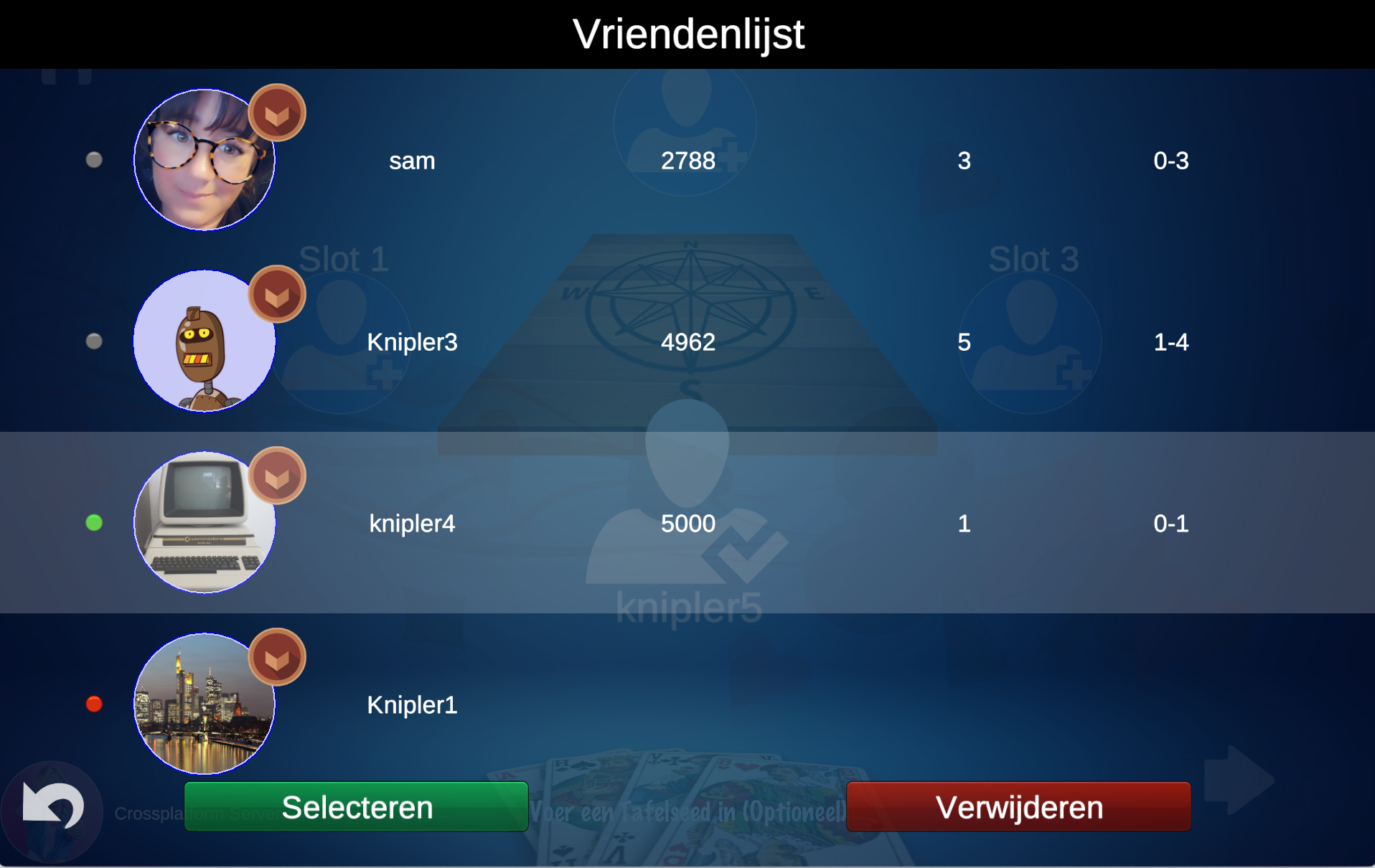
Added someone you don't know or don't want? Use the red X to remove the friendship.
Starting a game
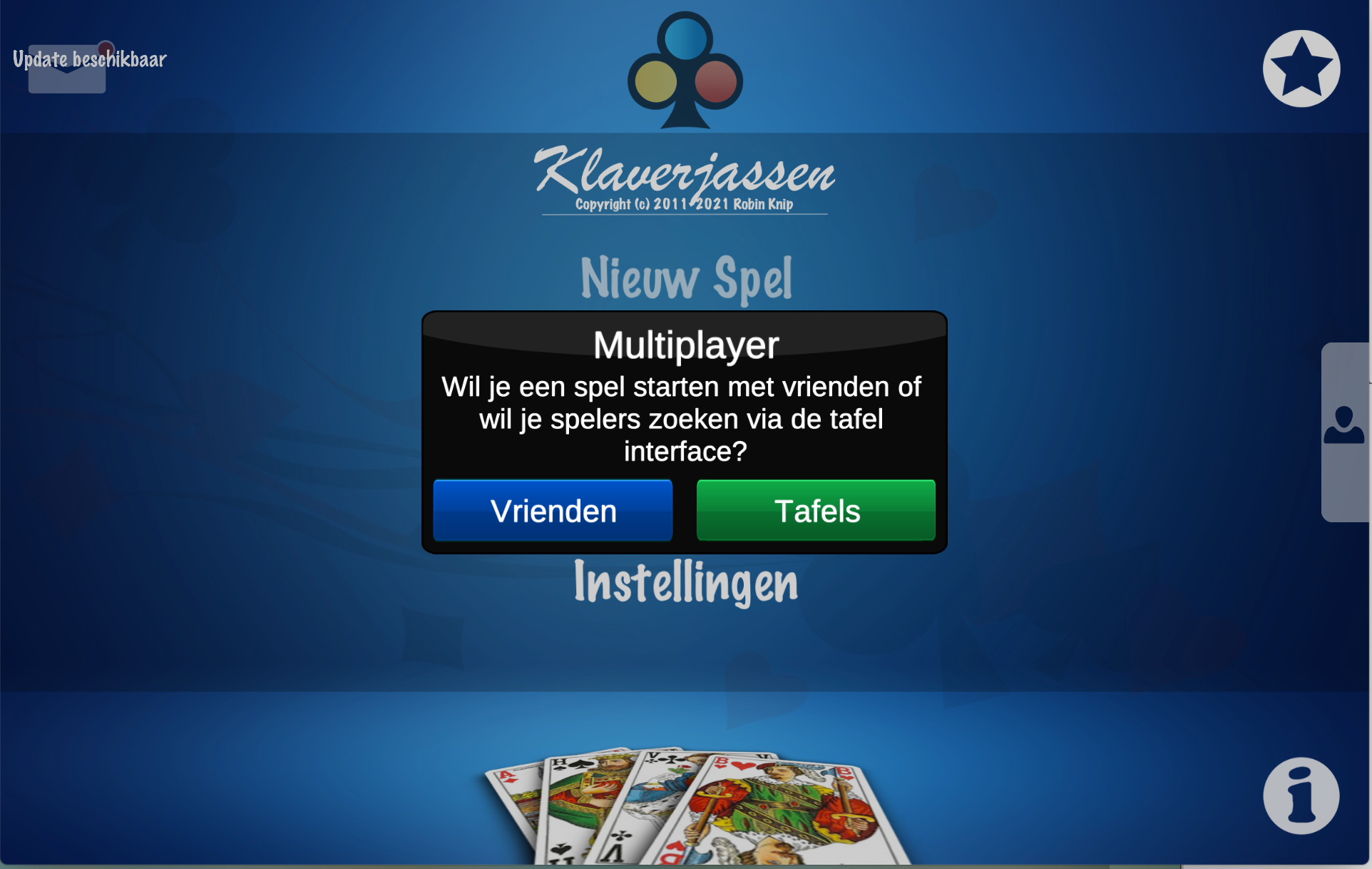
The app offers two choices: play with or against friends, or against strangers (only works if enough others are looking for the same variant).
Playing with friends

You indicate who goes in which position (slot 1, 2 or 3). Empty slots are filled by computer players. Tap the arrow at the bottom right to send invitations.
You can only invite online friends (green light next to the name) with the app's start menu open.
Once everyone is connected, choose "Start Game". While playing, a speech-bubble icon (chat) appears at the top left. From version 9.50 there is a headset button next to it for voice chat.
If a player quits or there are network problems, the computer takes over (the name gets the prefix "(CPU)").
Do not multitask while playing (especially on mobile). The app loses the server connection when it goes to the background, which can freeze the game. Behave in chat and voice chat — complaints lead to account closure.
Tables
Want something other than playing against the computer? Tables make it easy to find others to play with.
Joining a table
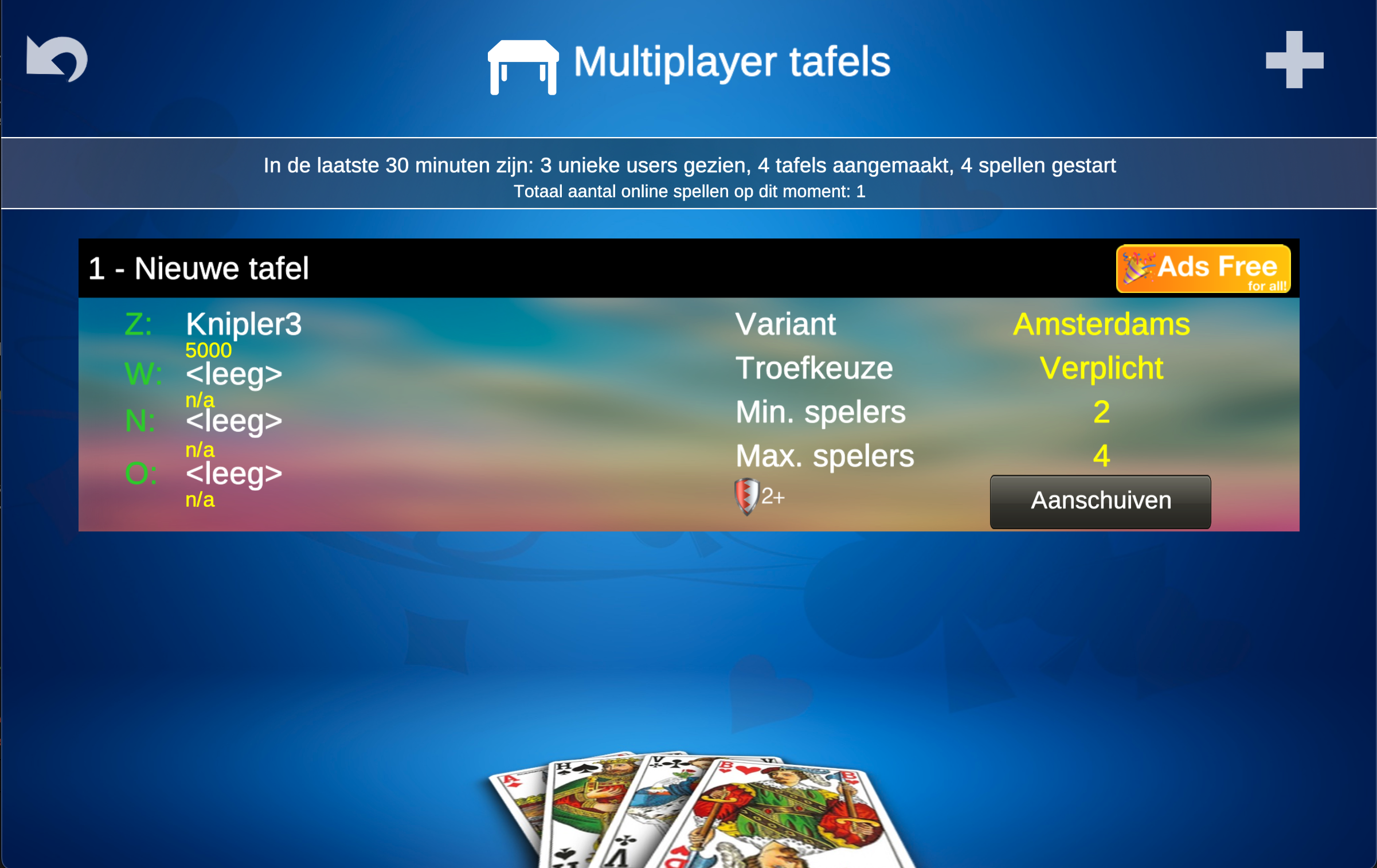
The table overview shows all tables currently waiting for players.
Locked tables require a password; only join if you know it. A yellow shield at the top right means no ads are shown at that table.
Create your own table
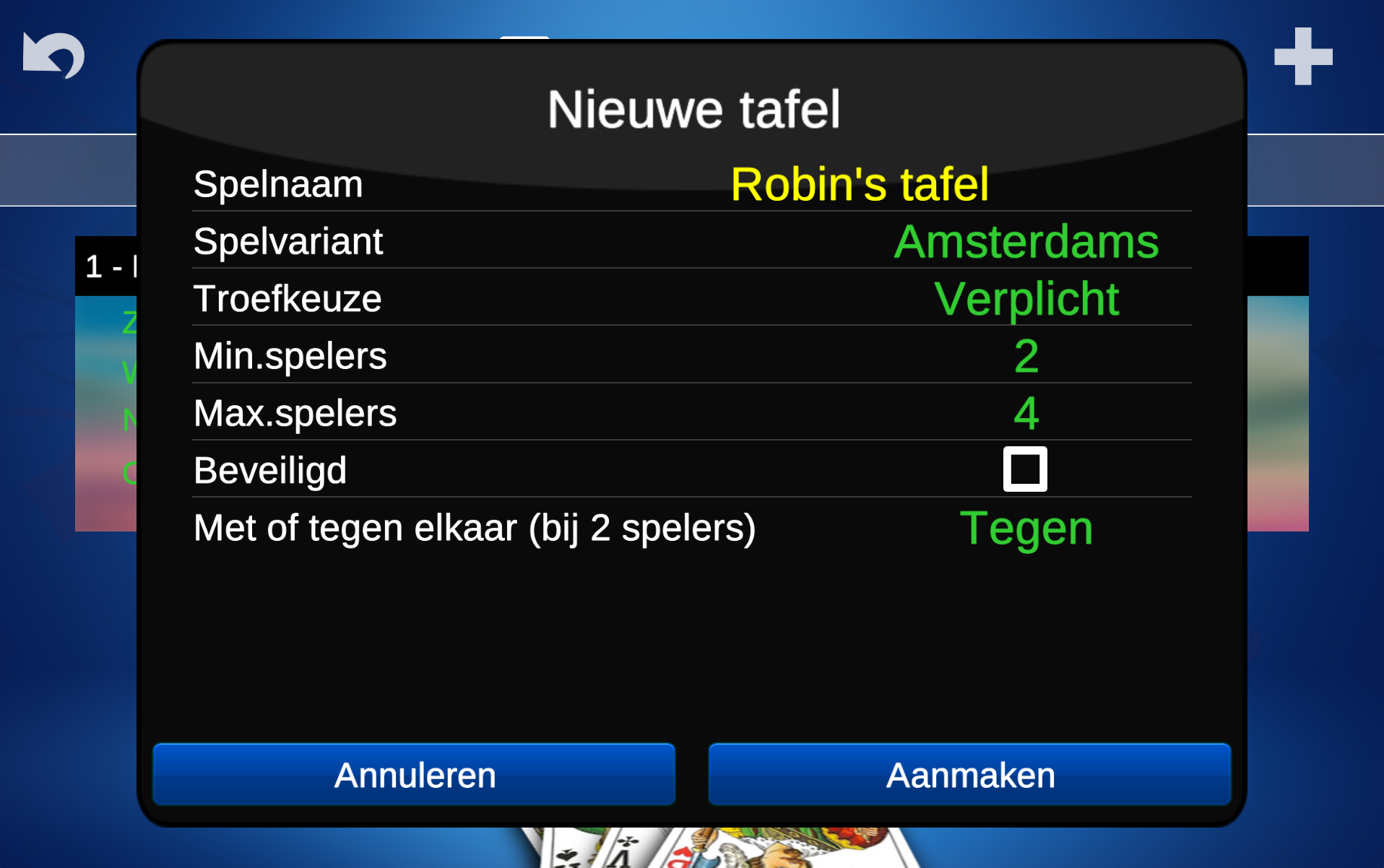
Don't see a variant you want? Create your own table. There can be a maximum of 5 waiting tables at a time; at busy times you may have to wait a moment. Press the large plus sign at the top right and set the table properties.
Waiting for fellow players
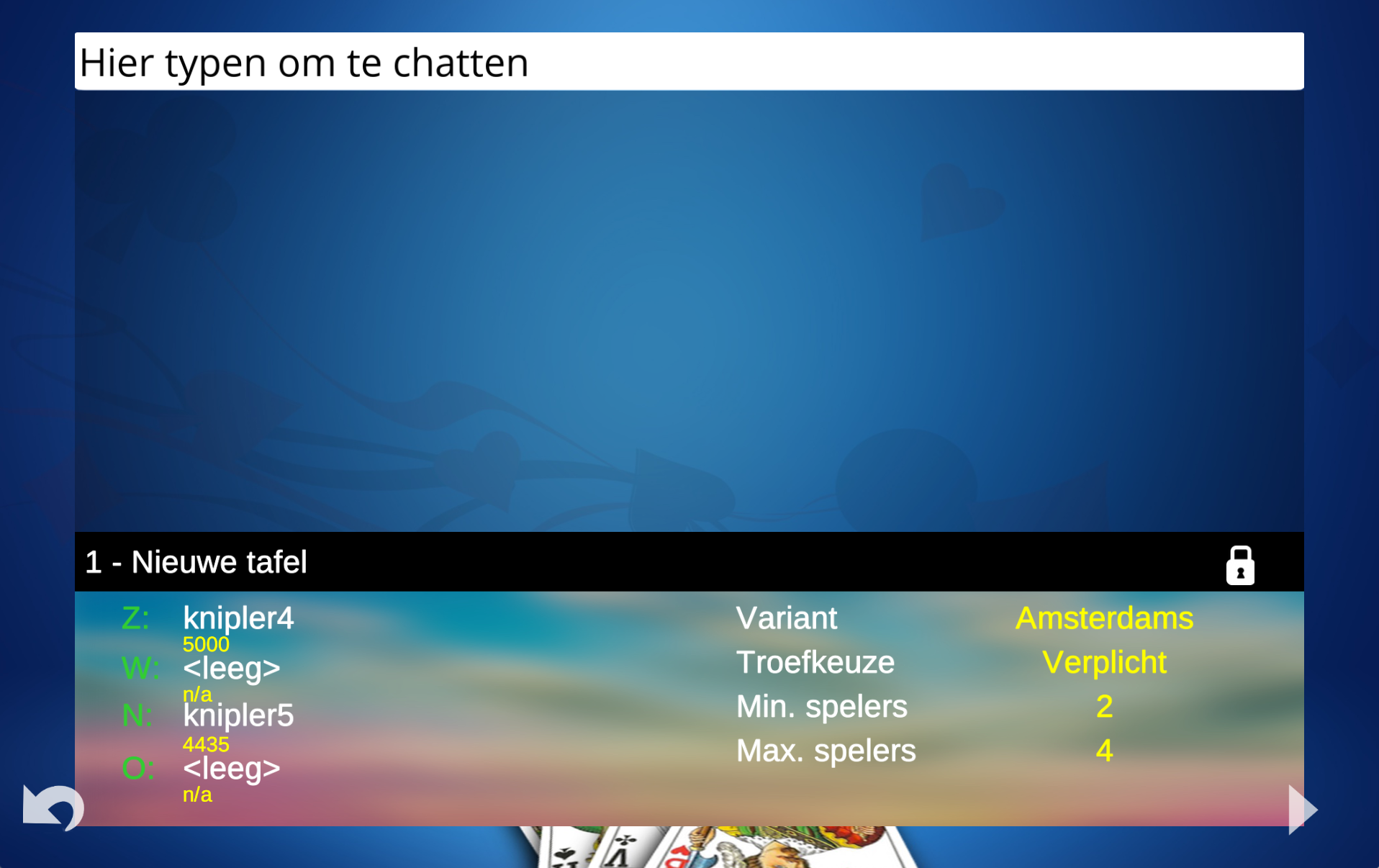
The waiting screen shows who has already joined, their rating and position. A sound signals new players. You can chat with joined players while you wait. Once the minimum number of players is reached, the start button appears at the bottom right.
New in version 12.00
Players with a subscription can make tables completely ad-free. No one sees ads at that table while playing, not even free users. Ad-free tables show a yellow shield in the title bar.
Trainer
The Pro version offers options that help you become a better klaverjas player.
Option 1 · Help recognising partner's signals
The app helps recognise your partner's signals. Remember: the app cannot see the opponents' cards nor read your partner's mind. It is only a (possibly incorrect) interpretation of the table.
Option 2 · Card suggestion
When it is your turn, the app suggests its best choice. The suggested card moves slightly upward.
Option 3 · Explanatory text
A short explanation of why the app chose that card. Report clear mistakes — I will adjust them.
Option 4 · Replay
Play the same game again — handy for beginning players. With Pass/Play variants you will probably get different choices.
Option 5 · Undo
Regret your choice? Take your card back while it is still on the screen (offline games only).
Option 6 · Card point values
Mainly for beginners and children. Red badges show the point values of the cards.
Option 7 · Look at others
Tap another player's play position to see his or her cards.
The AI in the app is not infallible and not perfect. Klaverjas is partly a matter of chance. App suggestions can be wrong and do not guarantee a 100% win chance. By following the advice you become as strong as the opponents.
Rating
The player rating
For an objective assessment, the computer quickly replays every game you play in the background at the same time (exactly the same cards, same trump-choice order, etc.).
The Us–Them point difference the computer achieves is the benchmark. If you score more, your rating rises; if you score less, it falls. The rating shows whether you are really better than the computer, because chance is eliminated.
Your rating is the sum of the differences of your last 150 games. The scale runs from 0 (score if the AI throws random cards) to 20,000. As good as the AI = 5000.
Check it yourself
Why did my rating drop? Winning was surely impossible?! Fortunately you can check exactly how the computer would have played. After a game, tap "Details".

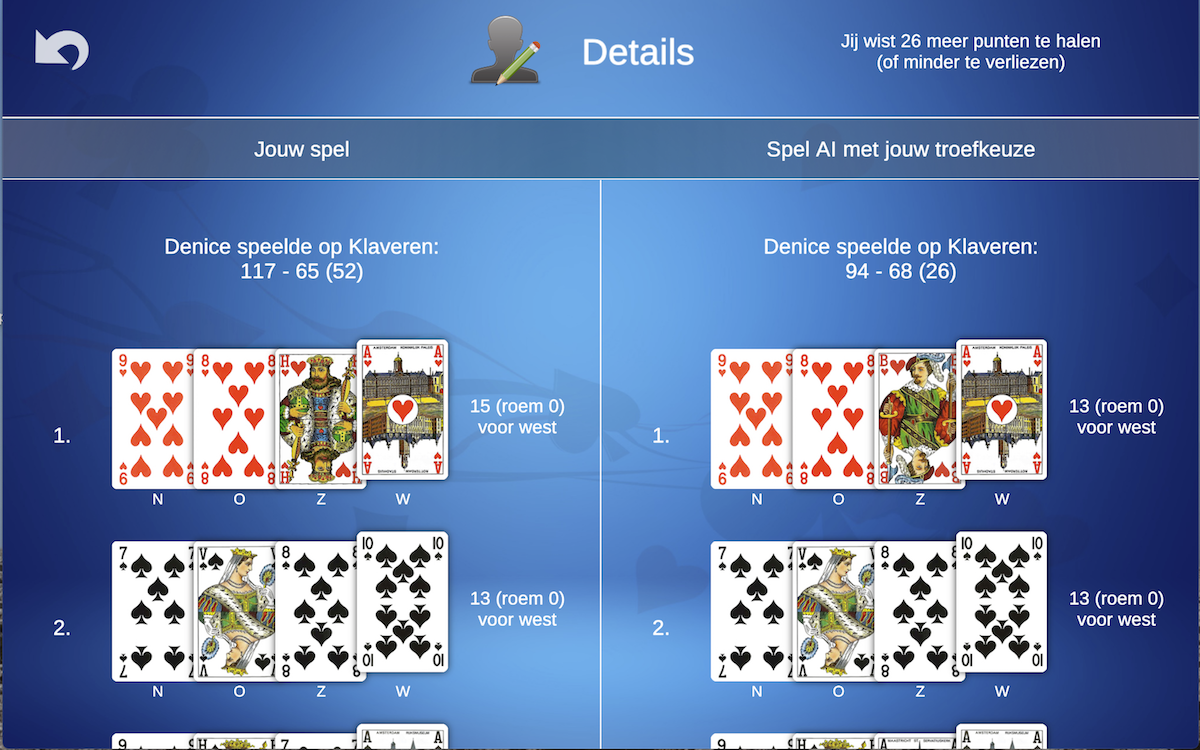
Help improve the app
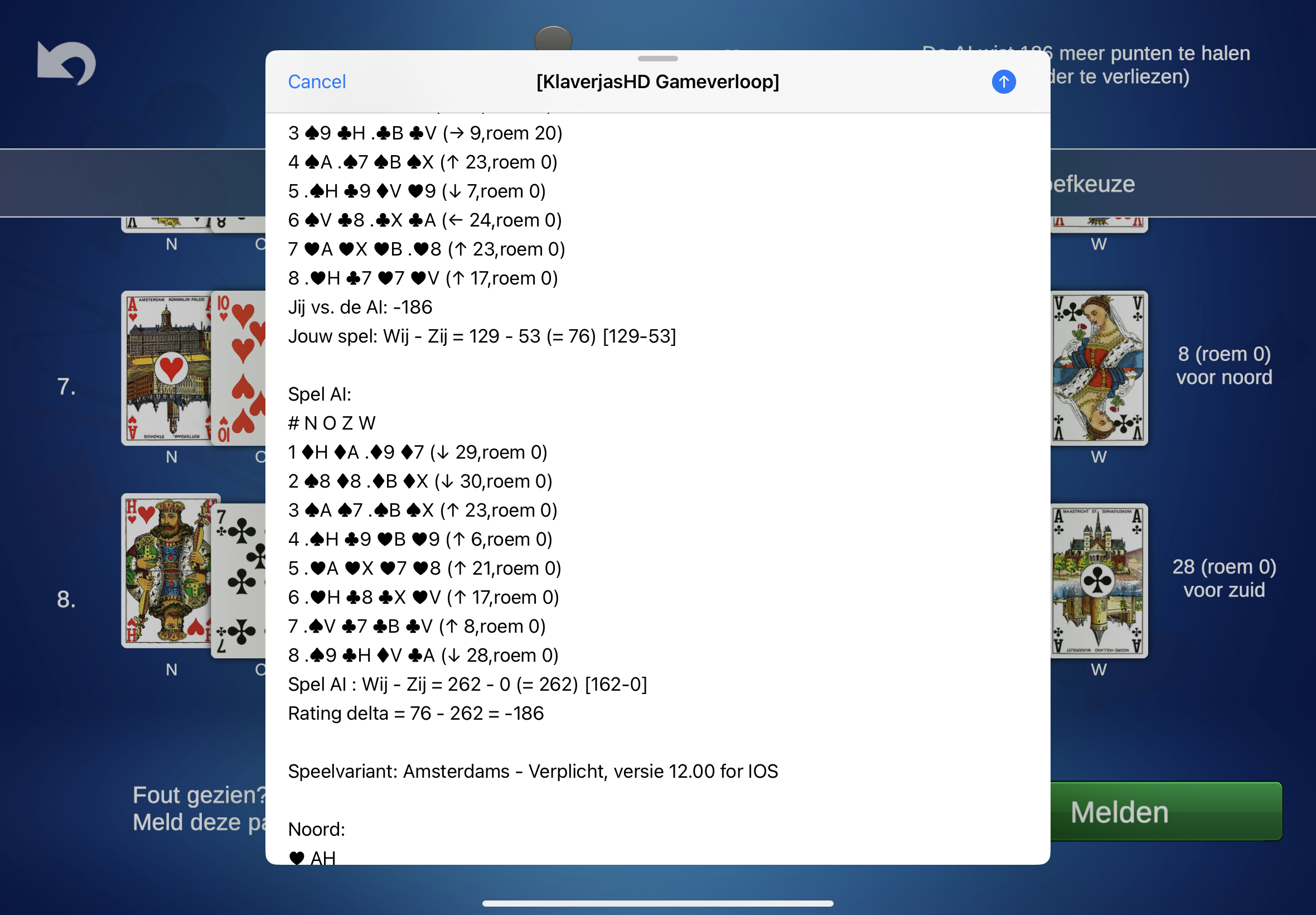
Does the computer (your partner or opponents) make a silly mistake or miss a better option? Report it via the "Report" button at the bottom of the details overview. The generated email shows why the computer players made certain choices. State what should have been different and why.
Daily Challenge
Test your klaverjas skills against the rest of the world every day. Everyone plays exactly the same game. Your Us–Them difference is your daily score.
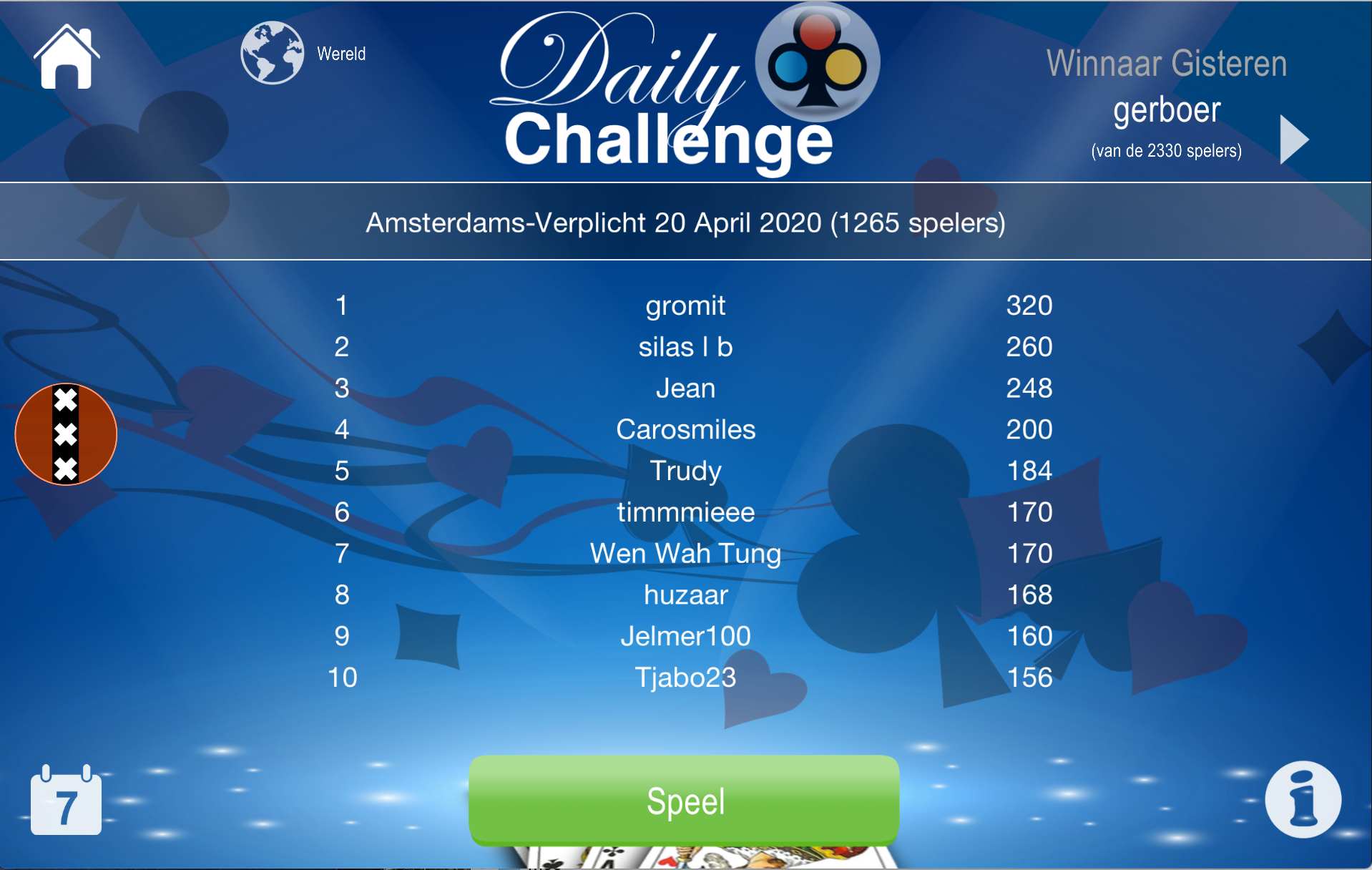
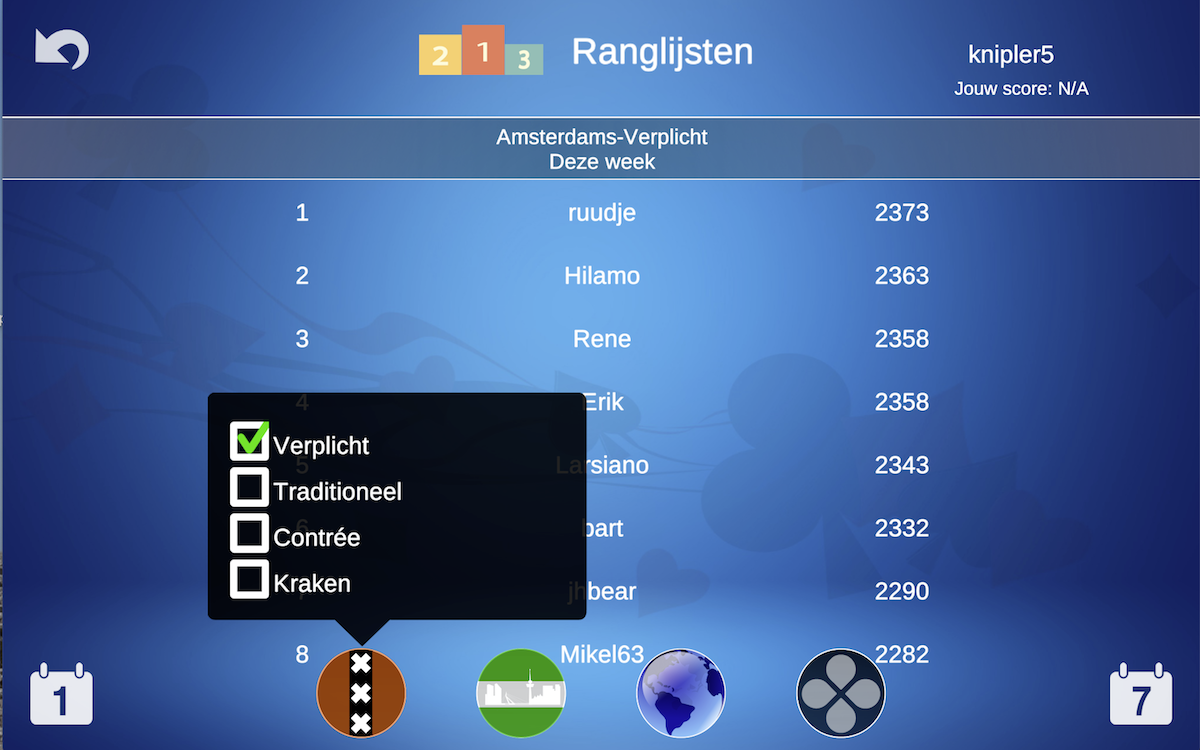
You can play the Daily Challenge in three variants. Switch variant by tapping the Amsterdam logo. Per day, per variant, you take part only once. You can play more often, but only your first attempt counts in the ranking.
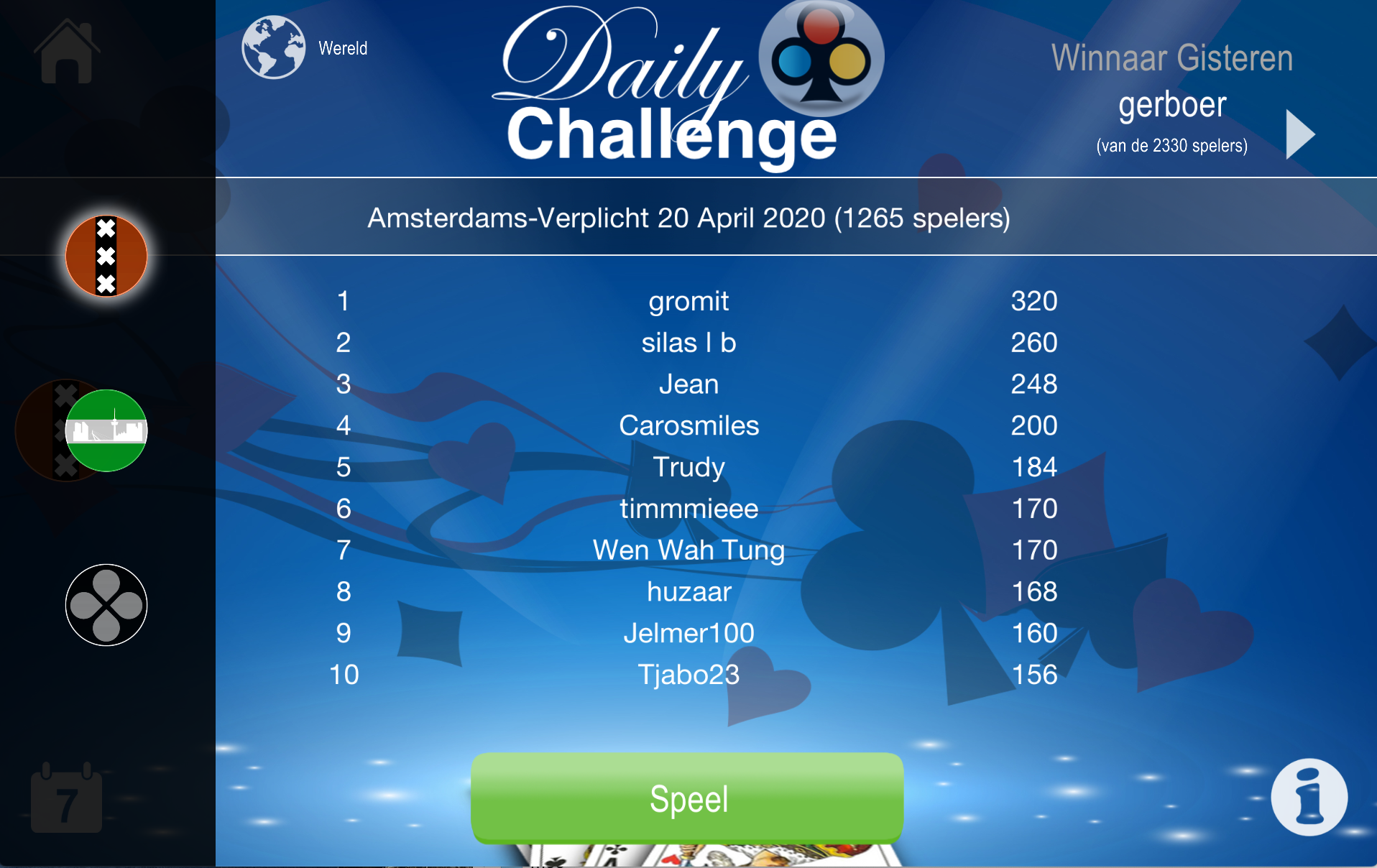
Unfortunately some people spoil it for others: they play on multiple devices to find the best score and then play it once with their real account. I have no control over this. You can help by creating a group with only people you know and trust. Switch between world view and group view via the globe button at the top.
Watch yesterday's winner's game by tapping "Play" next to their name.
Reputation
From version 12.00 the app introduces a reputation system that makes online play fairer, friendlier and safer.
How does reputation work?
- Every player starts with 159 reputation points → 4 stars, the second-highest score.
- After each online table game you rate fellow players with thumbs up 👍 or thumbs down 👎.
- These ratings determine whether reputation rises or falls.
- Each vote counts for a maximum of 3 months — after that it expires automatically.
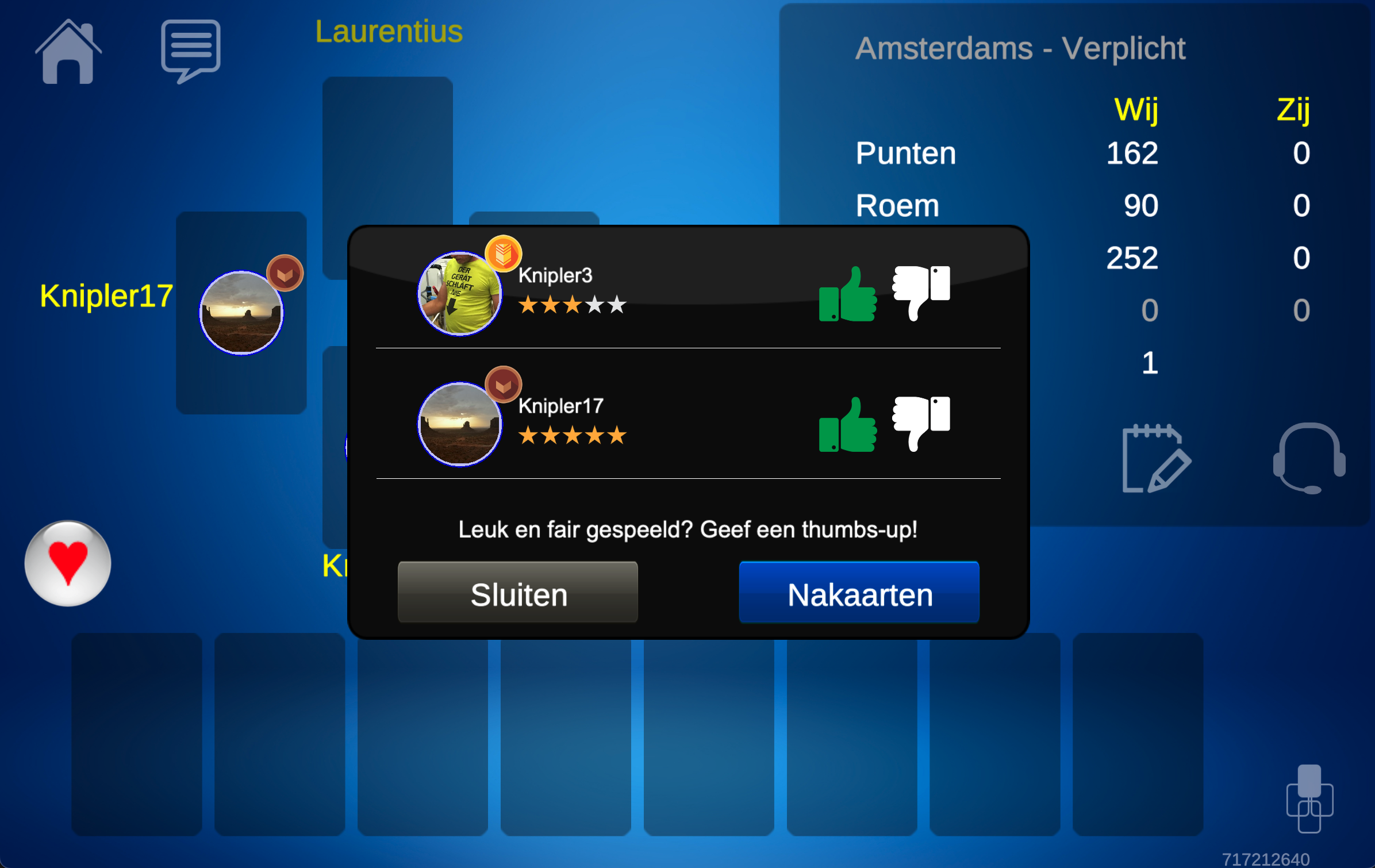
Leaving a table game prematurely or using offensive language leads to penalty points, causing your reputation to drop quickly.
Reputation too low
Reputation drops below 2 stars? You temporarily cannot play online table games. Wait until old negative votes have expired and your score rises through better behaviour.
Extra control for subscribers
With a subscription you get extra tools:
- Set a minimum reputation score for players you allow at your table.
- Automatically block all players you have rated negatively in the past 3 months.
Subscriptions
From version 12.00 the app works with a freemium model. The old paid app version has been discontinued. One central app for everyone — free, with optional extra features via a subscription.
Legacy users
Did you previously buy the paid app? Activate legacy status to retain comparable access. Follow the instructions in the app — you are automatically guided through securing your access.
Activate a subscription
You can only activate subscriptions via the mobile app.
- Tap the "Go Pro" button (bottom left, start screen).
- Choose the subscription type: monthly or yearly (with a discount).
- Confirm via the App Store or Google Play.
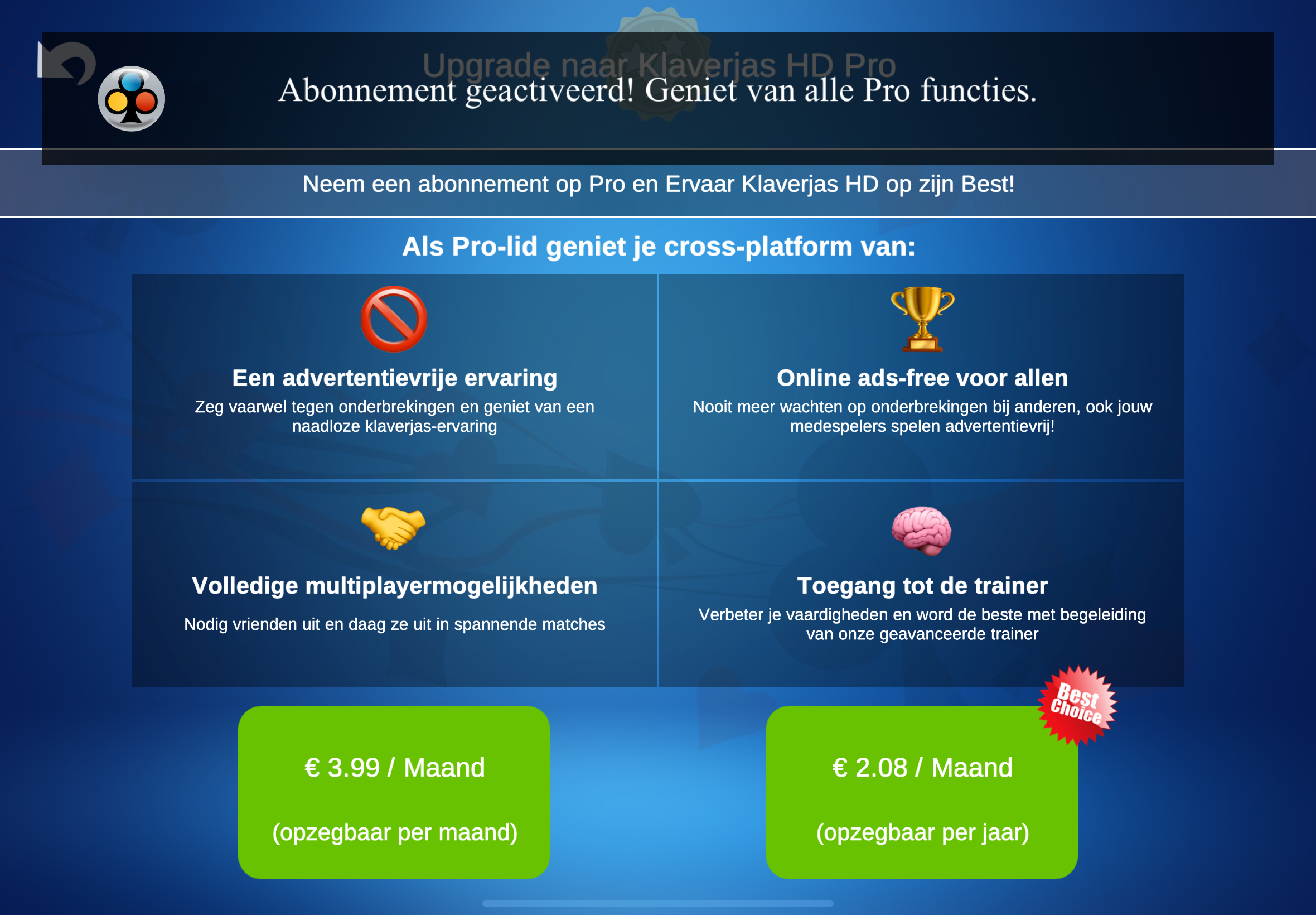
What do you get with a subscription?
New in version 12.00
- 🚀 Play without waiting ads — fellow players see no ads at your table
- 🛑 Block players you have rated negatively
- 🧩 Reputation-based admission — set your own minimum
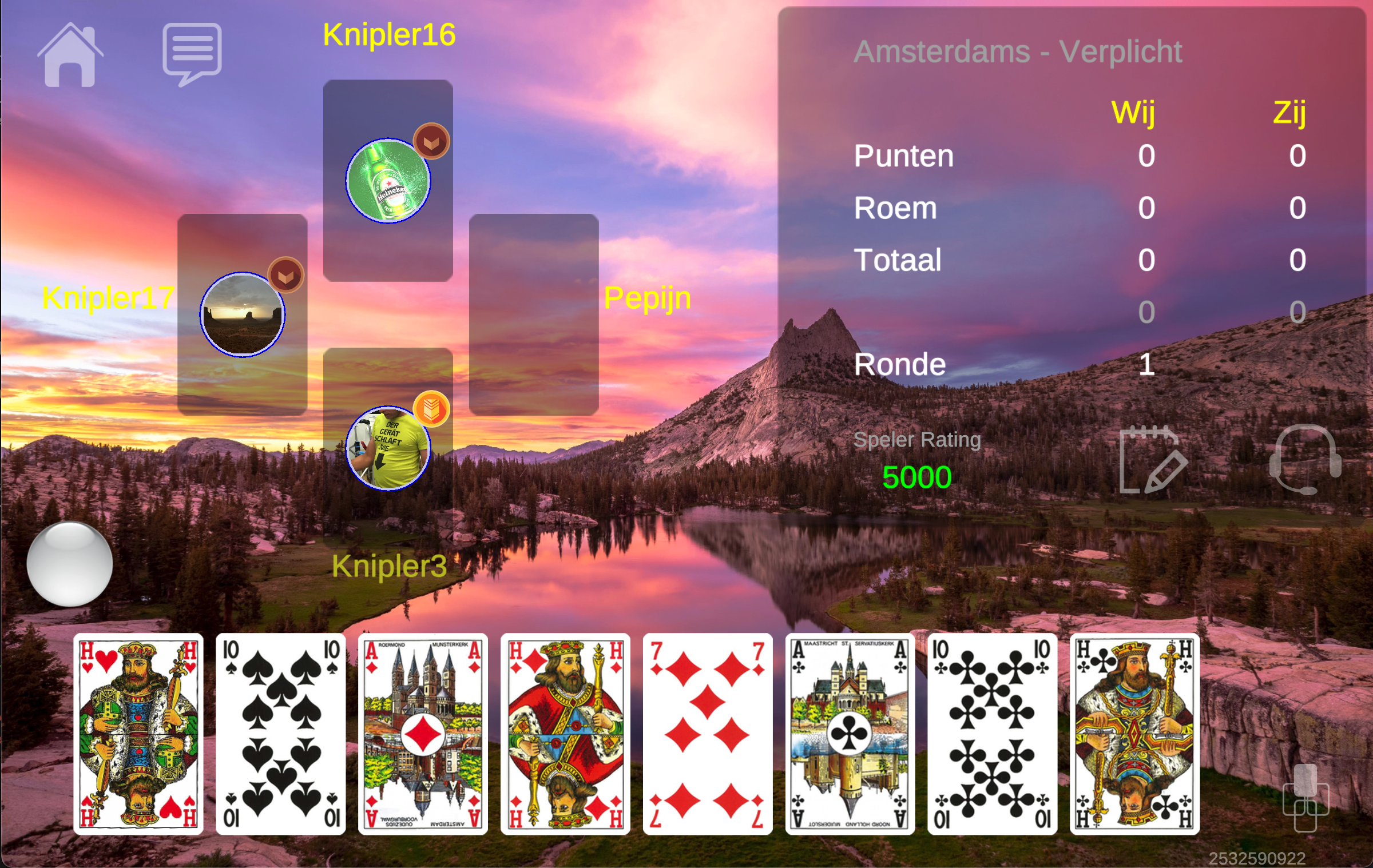
- 🎨 Your own game background
Existing benefits
- 🚫 No ads
- 👫 Play with friends
- 🧠 Training options (stronger AI opponents)
Working across multiple devices
Your subscription is linked to your app username. Signing in on another device with the same account automatically activates the subscription benefits.
Linking a subscription to another account
- Sign out via the account overview.
- Sign in with the other account.
- Tap "Restore purchases".
This only works on the device on which the subscription was purchased, signed in with the Apple or Google account used for payment.
Managing or cancelling a subscription
Manage your subscription via the account page in the app. It contains a link to the management page of the App Store or Google Play Store.
Miscellaneous
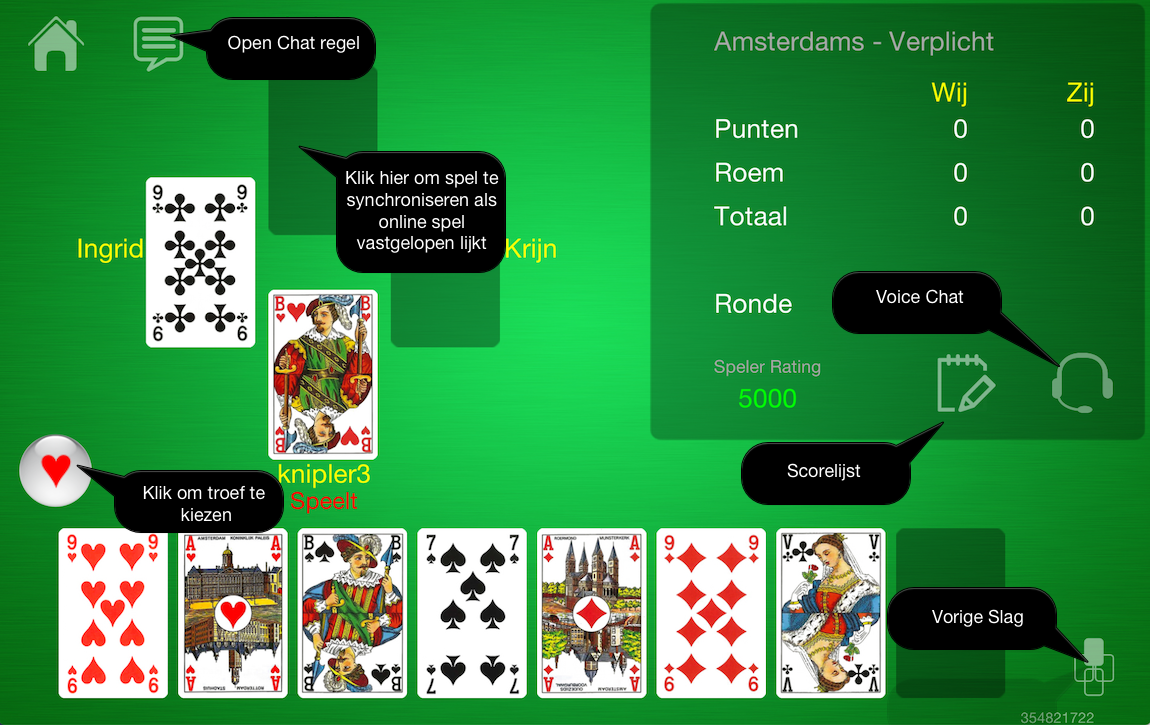
The game screen
Statistics
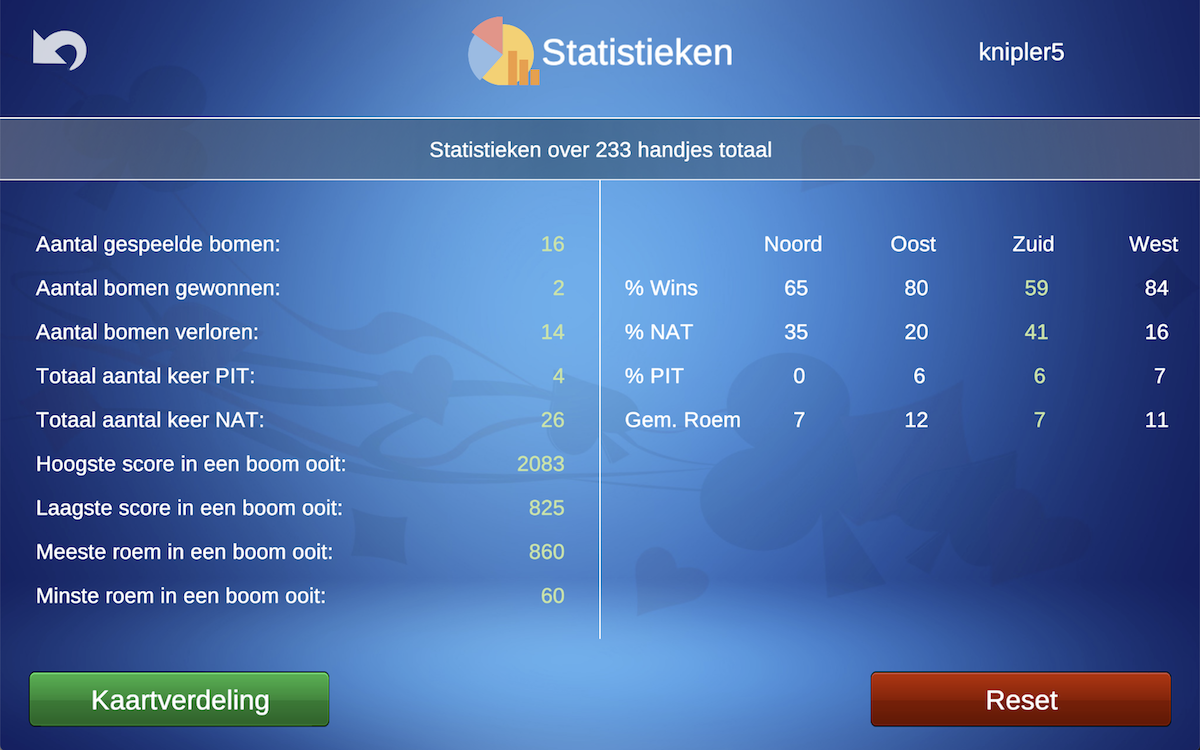
The app contains several statistics that compare your game with that of the computer. View them via your profile page. Tap reset to set all data to 0. Via the card-distribution button you can see exactly who held which cards how often (including trump and ace distribution) — letting you verify directly that no card cheating took place.
High scores and Achievements
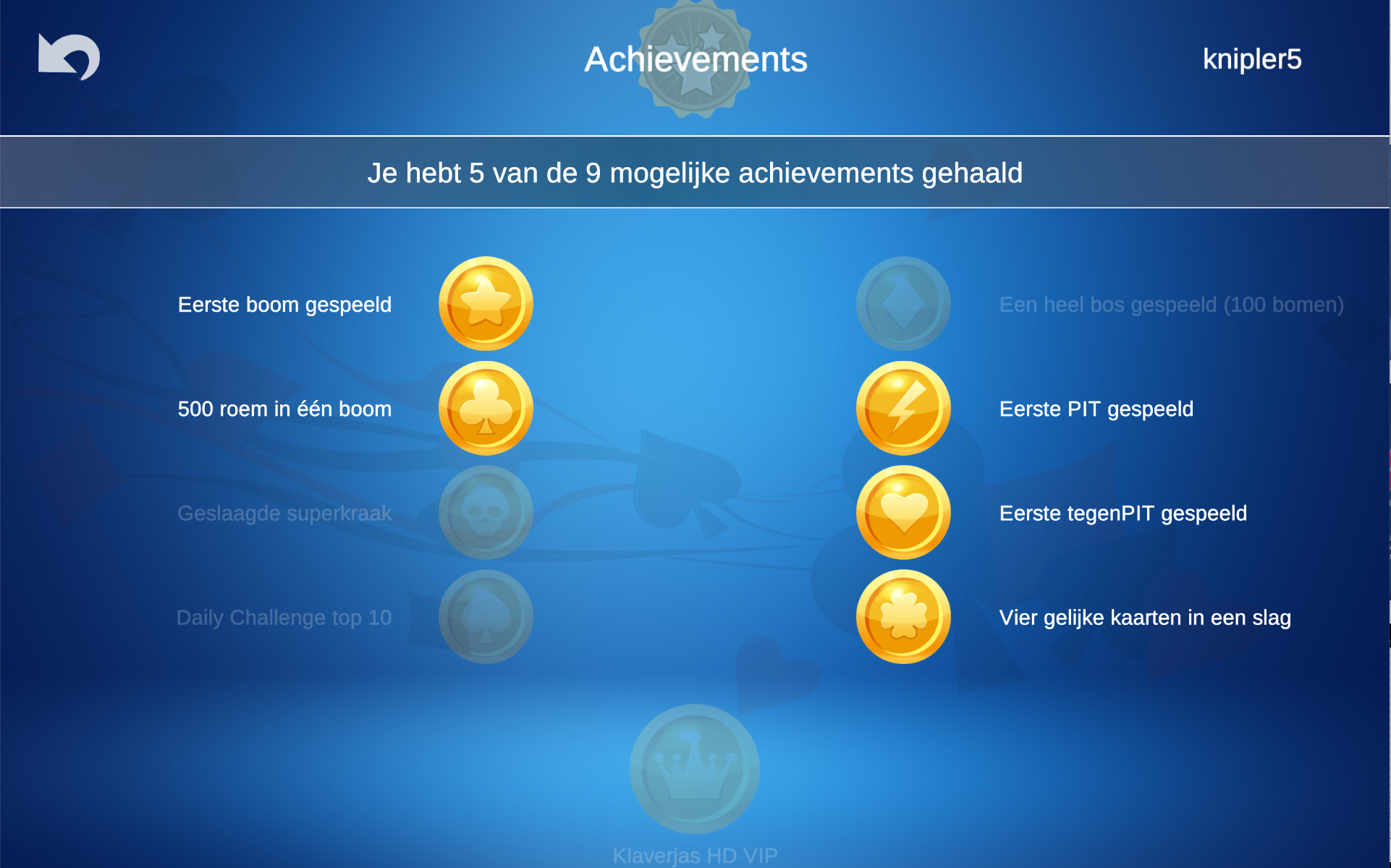
As soon as you create an online account in the app, your high scores are saved and the app keeps track of achievements. Both are visible via your profile page.